
How a partner can reset their password
Video: Jam | Console logs, network requests, and more or
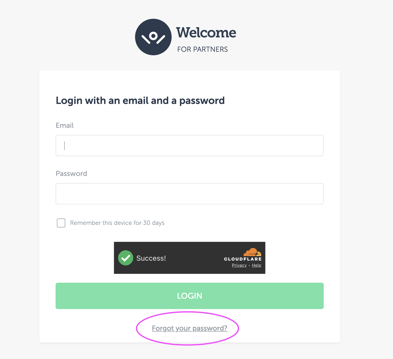
- Go to Welcome Partners Platform
- Click “Forgot password”
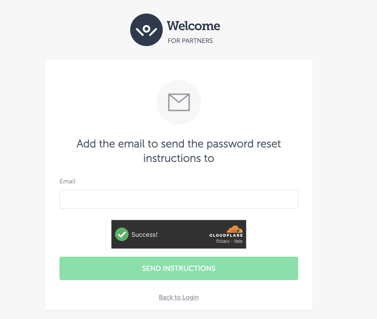
- Add the email that is connected to your partner account in WelcomePickups:
- Go to your email; you will find an email:
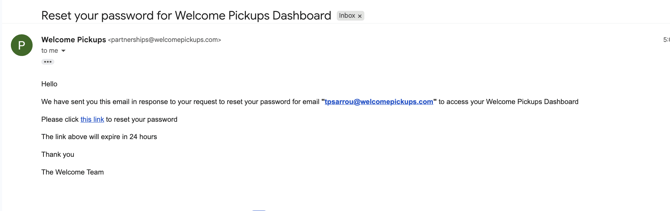
- Go to your email; you will find an email:
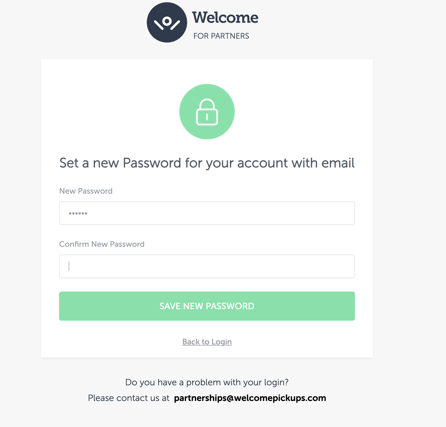
- Add your new password and confirm it. Click on the “Save new password” button
- You will be logged in your dashboard!
- Next time you try to login, don’t forget to use your new password
 Note: in case the above link doesn’t work or you end up in an empty page, please ask copy the link from the email and open it in a incognito browser. Please also clear their cookies and try again.